Real mail gets buried in Junk.
Bank statements, flight check-ins, school notices. Filtered out by mistake, then gone for good when the provider empties Junk after about 30 days.
Beta For Windows · $9.99/month or $110/year, at launch
Mailbox Spam Rescuer finds the genuine mail buried in Junk and the spam sitting in your Inbox. An AI judge explains every call, and you approve everything before anything moves. Mail is only ever moved between Inbox and Junk. It is never deleted.
Joining is free. No payment, no card. The app is in beta: it works and is still being tested on real mailboxes. Join to be invited as spots open. Privacy
Works with Gmail, Yahoo, iCloud & any IMAP mailbox · Your email never touches our servers
Bank statements, flight check-ins, school notices. Filtered out by mistake, then gone for good when the provider empties Junk after about 30 days.
Newsletters you never signed up for, and the gray area of "did I sign up for this?" mail that no unsubscribe button handles well.
You hand a stranger the keys to everything to save an hour.
A normal Windows installer. No account, no sign-up.
A guided setup walks you through creating an app password (about 2 minutes). It is stored encrypted by Windows, on your PC only. We never see it.
The AI proposes what to rescue and what to mark as spam. You click approve. Nothing moves without your say-so, and every move can be undone.
Screens from the app, shown with demo data.
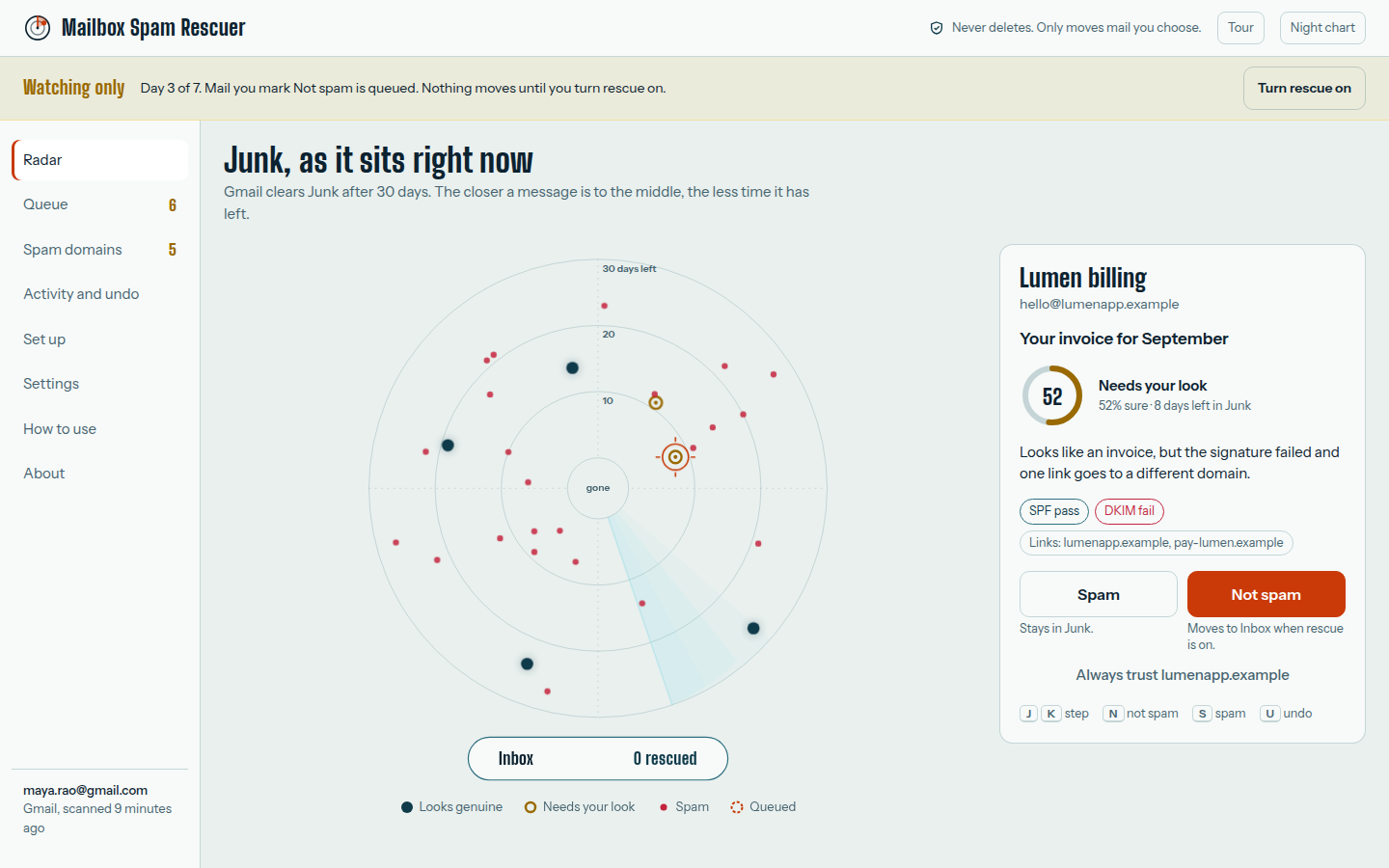
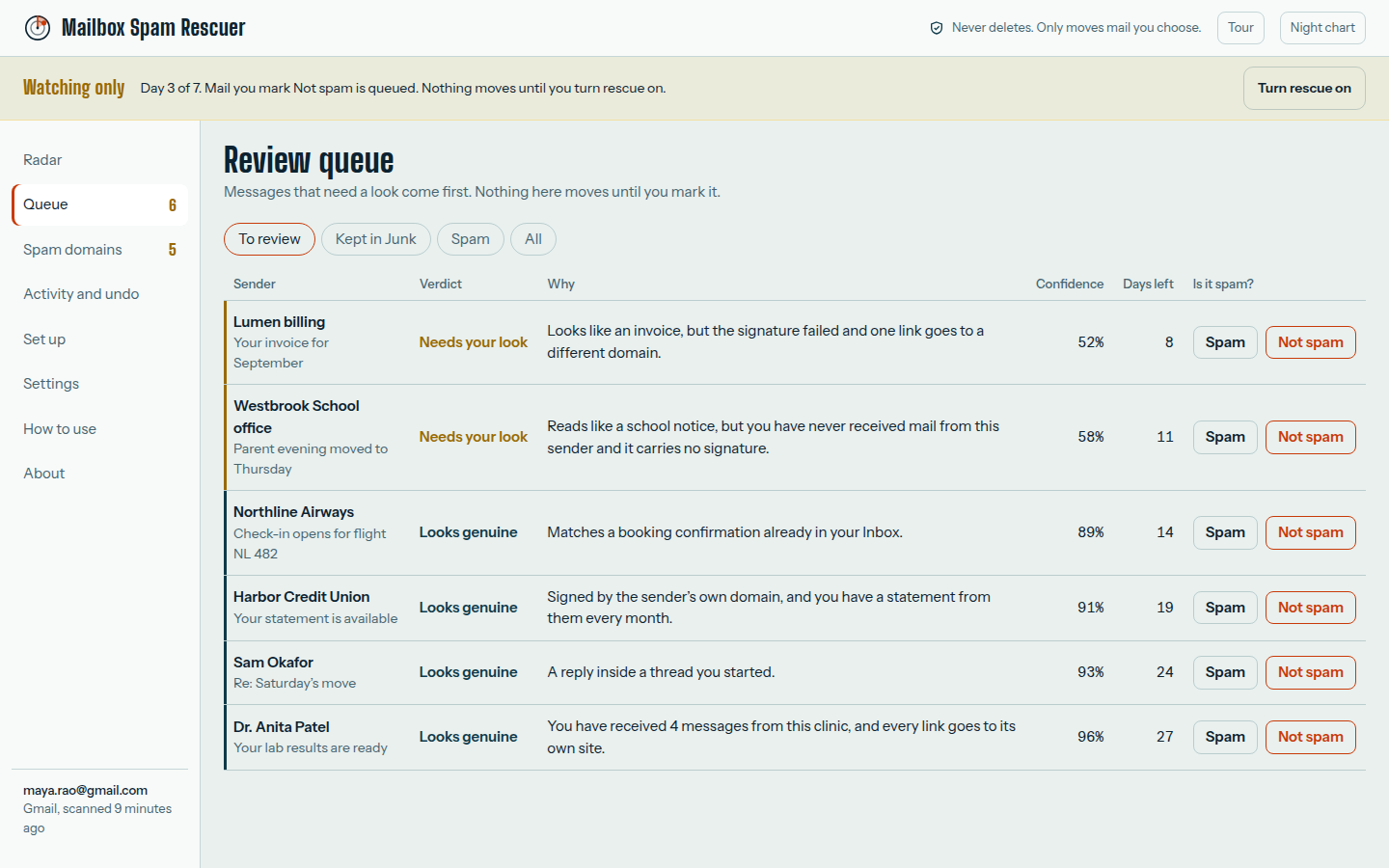
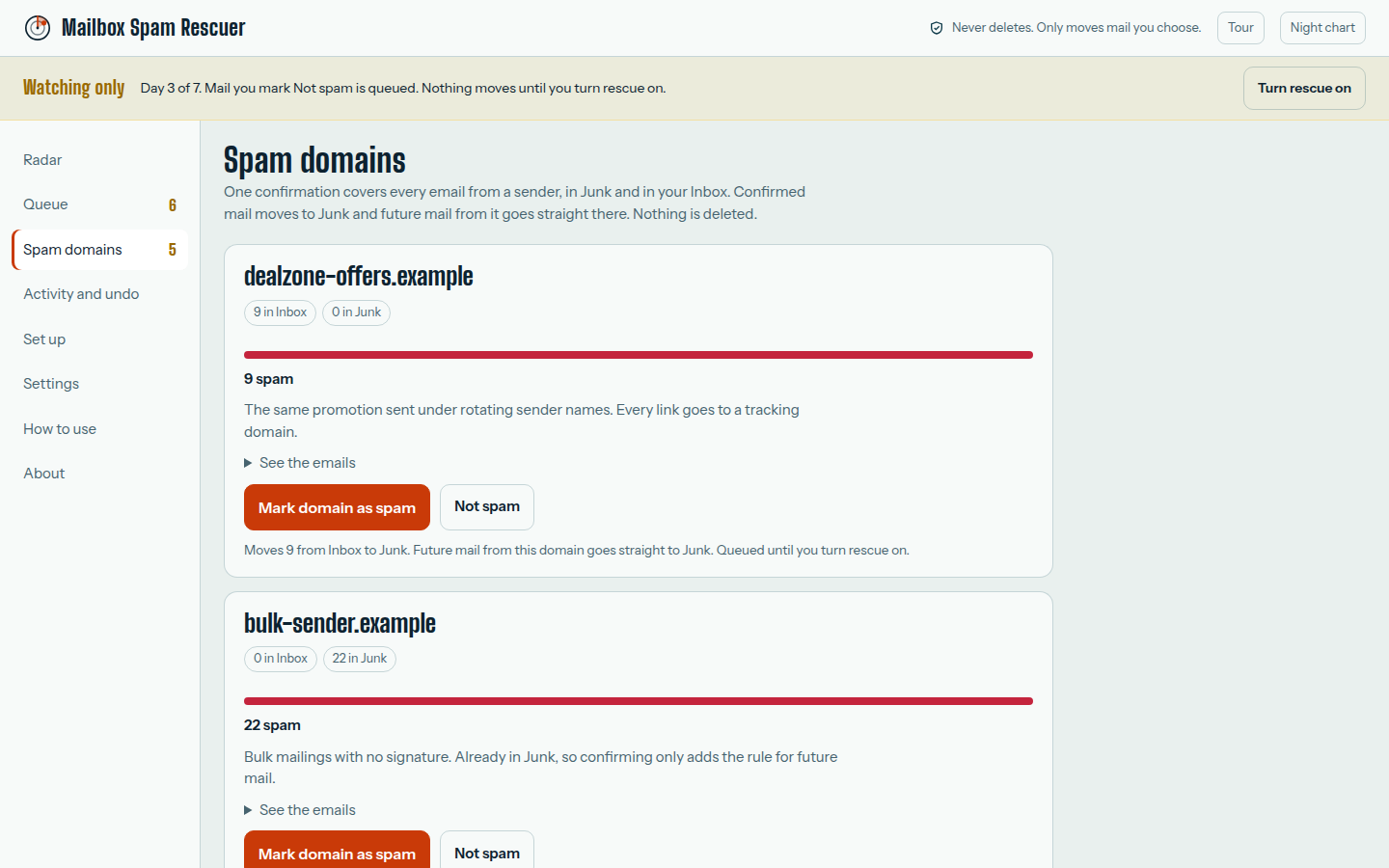
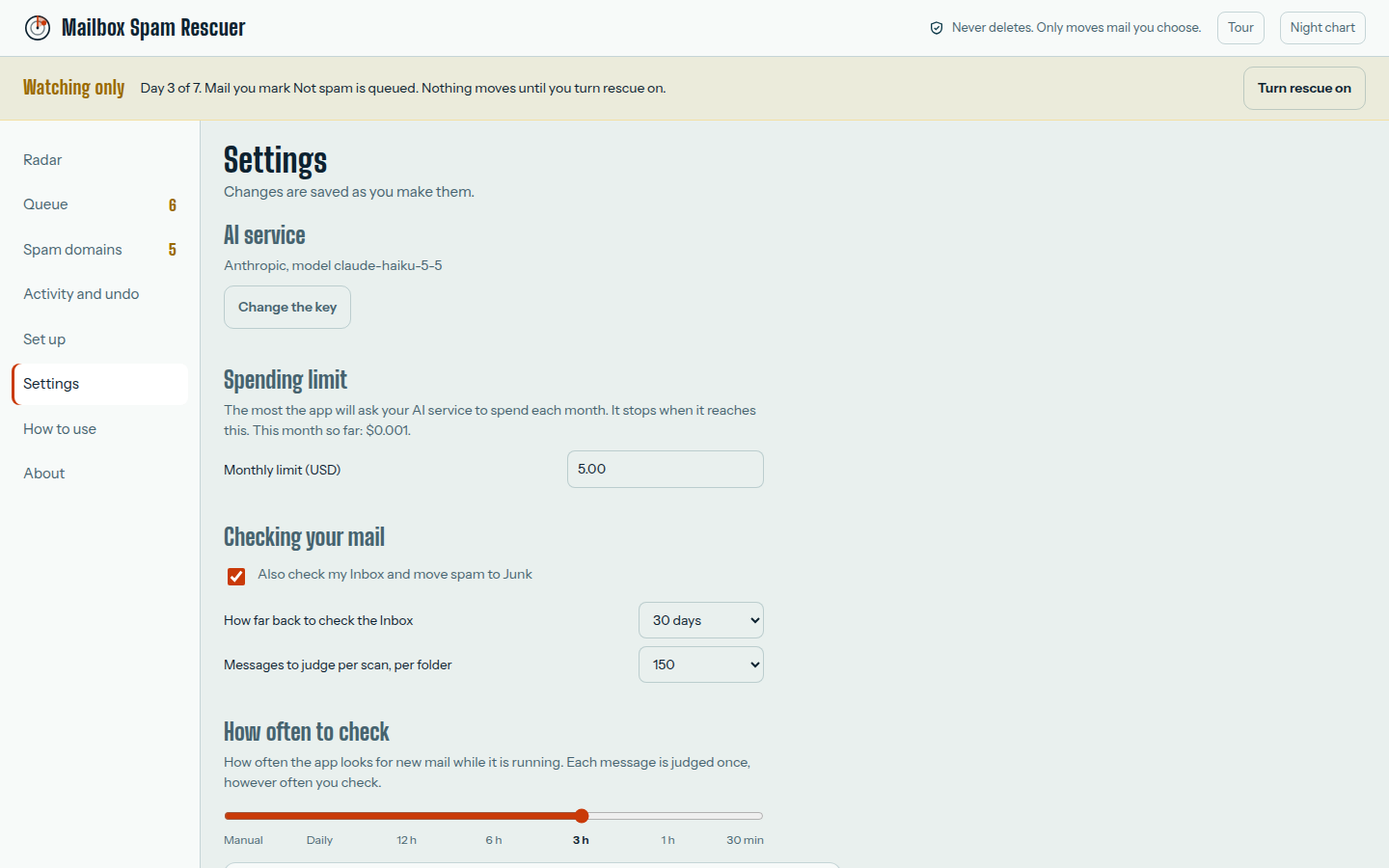
Price at launch
Every feature · All updates · Cancel any time · 7-day money-back guarantee
The yearly plan is $110, which is 11 months for the price of 12. You choose monthly or yearly at checkout and can switch or cancel yourself from your receipt email.
Joining the waitlist is free. You pay nothing now and we never ask for a card.
The AI judging runs on your own AI key, paid to the AI provider, not to us. In our tests a cent covers 40 or more messages with a small model, and you set a monthly spending limit in the app.
There's no server of ours to send it to. The app runs on your PC and your mailbox password is stored encrypted by Windows, not with us. To judge a message, the app sends a short excerpt straight from your PC to the AI provider you chose, under your own key. It never passes through us.
Gmail has a "Not spam" button, but you have to find the message first, and it only covers Gmail. Mailbox Spam Rescuer scans Junk and your Inbox for you, explains every call it makes, and works across Gmail, Yahoo, iCloud and other IMAP mailboxes in one app.
No. If you can install a program and follow a few setup screens, you can use this. The guided setup walks you through the app password step.
A short excerpt of each message (sender, subject, the first part of the text and the sign-in checks) goes to the AI provider you choose, using your own key, so it can judge the message. It never touches our servers, because we don't have any for this. Their API terms apply to what they receive.
You pay your AI provider directly. With a small model, a cent covers 40 or more messages. You set a monthly spending limit in the app, and it stops when it reaches it.
Gmail (Google or Workspace), Yahoo, iCloud, and any host that offers IMAP. Outlook.com and Hotmail are not supported yet, because Microsoft turned off password sign-in for them.
No. The app never deletes anything. It only moves mail between Inbox and Junk, only after you approve, and each move is recorded so you can put it back in one click.
The app runs and has been installed on real PCs, but it is still being tested on real mailboxes, so expect rough edges. Beta testers are invited in small groups, get the launch price, and help decide what we fix first. When your spot opens you get one email. Joining is free and you are not committing to buy.
We use it to invite you to the beta when a spot opens, plus the occasional launch update. We never sell or share it, and you can ask us to delete it any time. Privacy details.
At launch, your first payment has a 7-day money-back guarantee, no questions asked.
Yes, any time, yourself, from the link in your receipt email. The app keeps working until the end of the period you already paid for. You can also switch between monthly and yearly there.
Windows 10 and 11, 64-bit.
Free to join · no card · $9.99/month or $110/year at launch · 7-day money-back guarantee at launch · Privacy